
After a long day, let’s be honest, most of us just want to unwind on the couch and watch a show on our TV, and we want this experience to be perfect, not filled with issues such as juggling between apps or waiting for videos to load. But these days, streaming on television is like a maze, and things like IPTV vs Smart TV comparisons or streaming options analysis are something that you may think about.
Why so? When people think about enjoying entertainment on television, there are two prominent options in front of them. One is to have a smart TV generally based on the Android Google operating system or get an IPTV box for their requirements.
Some people get smart TVs because everything is built in and they are easy to set up and use. On the other hand, some people tend to go for IPTV because it unlocks a lot more content, and you get more control over what you watch.
Yes, both use the internet, but they’re not the same, and it’s a totally different experience. In fact, understanding those differences helps you lock in the setup that matches the way you really want to watch—and what’ll keep working for you down the road. In this article, we will discuss the IPTV vs Smart TV comparison in detail. Here we go.
What Is a Smart TV?
A smart TV’s just a regular TV with internet and interactive features baked right in by installing an operating system like Android in it. The biggest advantage of having a television with smart features is that in just a few minutes, you can go online and make use of apps such as Netflix, YouTube, or Prime Video—no extra boxes or tangled cords. Everything’s built into the screen.
Again, as stated, that’s really the biggest draw. You pick out your TV, plug it in, and you have started watching it in no time. Samsung uses Tizen, LG has WebOS, and most affordable or mid-range options go with Android TV. The platform matters here: it controls which apps you can get, how smooth everything feels, and, honestly, how long you’ll actually get software updates after you buy. It all matters, and ahead, we’ll talk about these aspects ahead.
What is an IPTV?
Internet Protocol Television is referred to as ‘IPTV’. In practical terms, it’s TV that is delivered via your internet connection instead of a cable or dish.
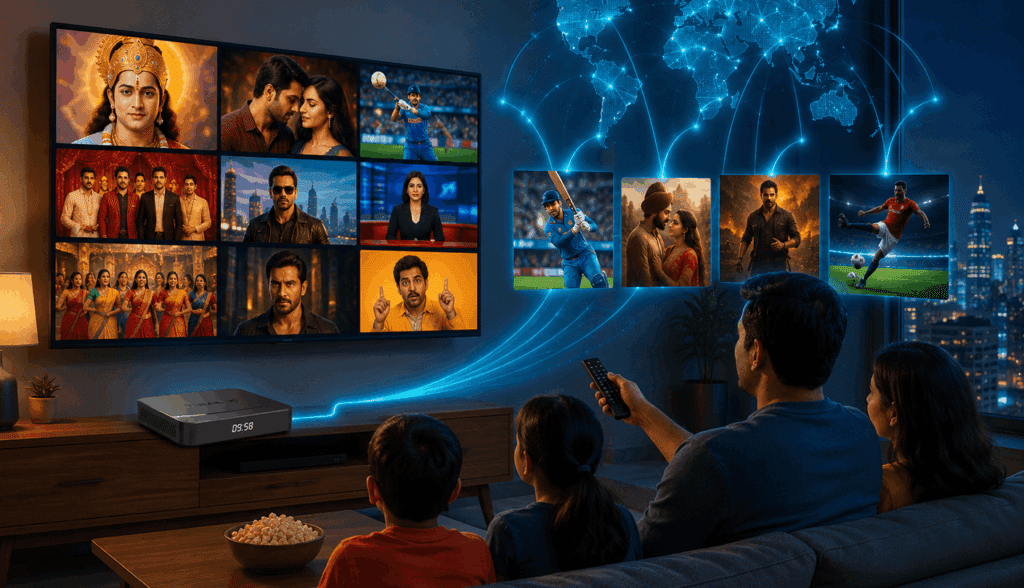
Similar to how a website delivers a page, IPTV streaming services send you live channels, on-demand content, sports, and regional programming via your broadband. Thousands of channels from dozens of nations are available with a reliable IPTV subscription. That number represents how these services are constructed, combining broadcast rights from several regions into a single package, which means a particular type of content can be bundled as per the target demographic, as Real X Box does by offering Indian content (TV channels, movies, cricket and web shows) in all over the world.
Accessing IPTV services is normally via an app on a compatible device or a small set-top box that plugs into your TV via HDMI. The IPTV streaming setup takes about fifteen minutes from unpacking to watching: plug in the box, plug it into your router, log into your subscription and you’re good to go.
You have a fixed shelf of content with a smart TV. With IPTV, you’re not restricted to what the store has pre-stocked, making it more akin to having a kitchen.
IPTV vs Smart TV: Key Differences Explained
The IPTV vs Smart TV streaming differences aren’t just technical. They show up in the day-to-day experience, often in ways people don’t notice until something stops working or something’s simply not available.

| Feature | Smart TV | IPTV |
|---|---|---|
| Setup Process | Simple plug-and-play setup | Requires app or IPTV box setup |
| Content Access | Limited to official apps | Access to live TV, global channels, and on-demand content |
| Hardware Flexibility | Dependent on TV hardware | Can upgrade box without changing TV |
| Software Updates | Limited after a few years | More frequent updates on IPTV devices |
| Live Sports & International Channels | Limited availability | Much wider channel selection |
| Cost Over Time | Higher if TV becomes outdated | Lower upgrade costs |
| Customization | Basic | More flexible settings and app support |
| Streaming Experience | Simple and beginner-friendly | Better for advanced streaming users |
| Multi-Device Support | Usually limited | Often supports multiple devices |
| Best For | Casual streaming users | Users wanting flexibility and more content |
| International Channels | Limited | Excellent |
| Picture Quality | 1080p HD | 4K–8K |
| Catch-up TV | Limited | Yes |
| Contracts | 12–24 months | Flexible |
| Reliability | High | Internet-dependent |
| VOD Library | Moderate | Large |
| Multi-screen Viewing | Limited | Yes |
| Voice Control / AI | Rare | Yes |
| Mobile App | No | Many providers offer |
Content and Channel Choice
A Smart TV’s content depends entirely on its app store. Netflix and YouTube are nearly universal. But if a streaming service doesn’t have an official app for your TV’s operating system, you can’t use it. No workaround. That boundary is fixed.
IPTV works differently. Most IPTV packages carry live channels that no streaming app bothers with — international sports networks, regional language channels, local news from other countries, and niche programming that platforms like Netflix don’t license or distribute. For households watching content from multiple countries or sports fans wanting coverage beyond what’s commercially packaged, this is awesome.
How Long the Setup Actually Stays Useful
This is the part worth paying attention to because, after two to five years, most smart TVs stop receiving software updates from the manufacturer. Apps start breaking. Newer services won’t install. The interface gets slower. The screen still works perfectly, but everything running on it has quietly aged out.
An IPTV box separates the display from the technology. The TV is just a monitor. When the box gets old, you replace the box by paying a small price — not the whole television. Over a six- or seven-year stretch, that difference adds up to saving a good amount of money.
Setup and Everyday Use
On ease of use, Smart TV streaming vs IPTV is not a fair comparison. Smart TVs are simpler. Power on, connect to WiFi, open an app. There’s nothing else to do.
IPTV asks for a bit more up front. You’re connecting a physical device, picking a provider, occasionally tweaking a setting. For most people, that’s a one-time afternoon. After that it runs the same as anything else. But if you don’t want to spend even that hour, a smart TV is the easier and better path.
Cost, Honestly
Smart TVs cost more to buy because you’re paying for the screen and the built-in software together. An IPTV box itself is cheap, but the monthly subscription — usually on the lower side, nevertheless — is an ongoing cost. Run the numbers across two or three years, and the totals tend to go in favour of IPTV, especially when you think about it – it can save you lots of money because you don’t need to pay for different subscriptions to watch your favourite content.
The Advantages of IPTV Over Smart TV Apps
The advantages of IPTV over Smart TV apps are real, but they matter more to some households than others.
Content volume is the clearest one. Smart TV app stores don’t come close to the channel depth available through a proper IPTV service. The live sports coverage alone — matches from leagues that don’t show up on mainstream streaming platforms — is enough for a lot of people to make the switch.
Hardware independence is less obvious but arguably more important over time. Your IPTV provider updates their service on their own schedule. You’re not dependent on whether Samsung or LG has decided your TV model is still worth maintaining. In year one, that difference is invisible. By year four, it’s often the difference between a setup that still works and one that’s become genuinely annoying.
Many IPTV subscriptions also allow streaming on more than one device at the same time – a TV, a phone, a tablet – under a single plan. A standard Smart TV entertainment system is tied to one screen. That’s fine for a single viewer. It gets limiting fast in a house with more than one person.
Worth noting too: you can run IPTV on Smart TV without buying a separate box at all. Android TV and Google TV support IPTV apps installed directly from the Play Store or third-party providers. These two technologies aren’t mutually exclusive — plenty of people use them in combination.
Can You Use IPTV Directly on Smart TV?
Often, yes. Android TVs and Google TVs handle this without friction — find an IPTV app in the Play Store or on the third-party store (do check for authenticity), install it, log into your subscription, and watch. Samsung and LG TVs have more limited app support through their own stores, but some IPTV providers do publish apps for Tizen and WebOS. Your specific model determines what’s available.
For the best IPTV for Smart TVs, the provider behind the subscription matters more than the app name. A well-known app like running on an unreliable service is worse than a basic app with strong uptime and a proper content licence. Before committing to a full subscription, check whether the provider is a trustworthy one like the Real TV.
This internet TV streaming setup, such as an IPTV app running on their existing smart TV, is probably where most people tend to go once they’ve compared the options.
Which Is Better: IPTV or Smart TV?
People ask which is better, IPTV or Smart TV, expecting a clean answer, and the honest one is it comes down to what you watch and how much friction you’re willing to manage.
If your household mainly uses Netflix and a couple of other streaming services and doesn’t need live international channels — a Smart TV handles all of that without any extra setup. The built-in apps do the job, the interface is familiar, and there’s nothing extra to maintain.
If you want to watch live sports that don’t have mainstream broadcast deals, want channels in a language your smart TV’s app store doesn’t offer, or want to replace a $50 box every few years instead of spending money on a new TV, IPTV is certainly one option worth the setup time.
Already own a Smart TV? You don’t have to pick one or the other. Running an IPTV app on your existing TV, or adding a small box alongside it, gives you both without replacing anything. Most people who set it up that way don’t go back to using only the built-in apps.
The IPTV vs Smart TV decision follows from how you actually use your television, not from which technology scores better on a spec sheet.
Conclusion
Smart TVs are convenient, and that’s reason enough to pick one, like we discussed in this article. There’s no case for changing anything if your existing apps cover everything you watch, and nothing feels like it’s missing.
But if you see gaps – things that aren’t available, apps that worked a year ago that don’t anymore, channels that you’d want but would be easier to access – that’s IPTV vs smart TV in the practical sense. IPTV fills most of those gaps without forcing you to replace a perfectly good television that is still working.
The best place to begin is to spend ten minutes looking at what a good quality IPTV streaming service actually offers before deciding it’s more than you need. Most people are surprised by what is out there. For example, the Real X box (Indian IPTV set-top box in USA) really shines if you are someone who is in USA and craving Indian entertainment. It offers unlimited content in Hindi and other Indian regional languages such as Punjabi, Tamil, Telugu, Malayalam and more and has top features like Indian TV channels in multiple languages. content on demand, catch-up TV, etc.
Frequently Asked Questions
Can I run IPTV on my current Smart TV without buying a separate box?
Depends on the TV. Android TV and Google TV models let you install IPTV apps directly from the Play Store or third-party stores, so no extra hardware is needed. Samsung and LG TVs have more restricted app stores — some IPTV providers do have apps for those platforms, but the options are narrower. Check your specific model before buying anything additional.
Is IPTV legal?
The technology is legal. Whether your particular service is legal comes down to the provider. Services that hold proper broadcasting licences operate within the law. Those streaming content they don’t have rights to are likely to offer a low-quality experience filled with lags and buffering issues. Therefore, a detailed check before signing up is worth doing.
How much internet speed does IPTV actually need?
Standard definition channels run fine at around 10 Mbps. HD needs 25 Mbps or so. For 4K, you want at least 50 Mbps, but more importantly you want a consistent connection — a line that spikes and drops will cause buffering that a faster average speed can’t fix. A wired Ethernet connection to your IPTV box almost always outperforms WiFi for stability, especially in busier households.
My Smart TV is a few years old. Should I be worried about it becoming outdated?
It’s a real thing, not a hypothetical one. Most manufacturers push software updates for three to five years after model ships. Once that window closes, apps stop getting maintained, new services won’t install, and the interface gradually gets worse while the screen itself stays perfectly usable. An IPTV box is a practical way to extend the useful life of a television you’d otherwise feel pressured to replace.
How does the cost of an IPTV subscription compare to regular streaming services?
Most providers sit between $10 and $25 a month, with annual plans coming in cheaper. The useful comparison isn’t against one streaming service — it’s against the total you’re already spending across three or four platforms simultaneously. Households running Netflix, a sports package, and a couple of others often find a single IPTV subscription covers more and costs less than everything they’re currently paying for combined.

