
Real 2X Mobile app for Android
Whether you’re streaming movies and entertainment content, or catch-up content, Real 2X App ensures everything runs smoothly — anytime, anywhere.
Download the APK now and install it in just a few minutes by following the steps below.
Android Setup – Quick & Simple
Follow these easy steps to set up Real 2X App on your Android device.
Step - 1
Once the APK is downloaded, tap it to open, and if you see “File might be harmful,” simply tap Download anyway.

Step - 2
Once download complete then open and install the apk file, Here you must check your phone setting to install unknown apps:
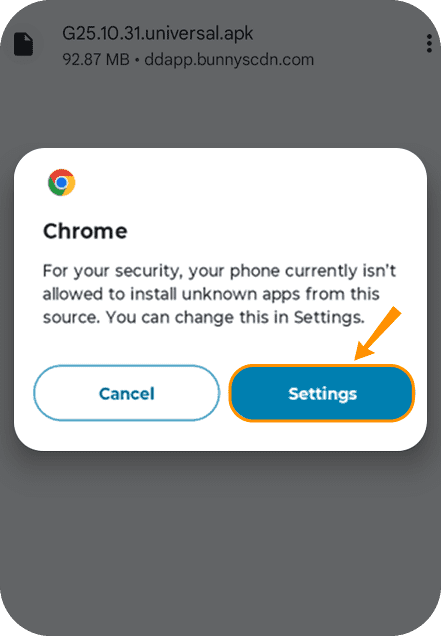
Step - 3
In phone setting to install unknown apps > Allow from this source
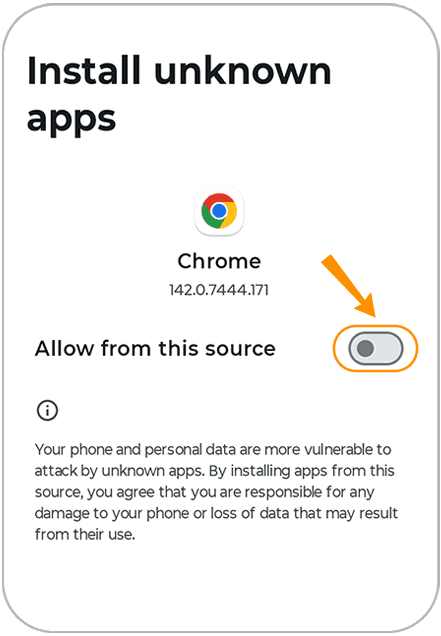
Step - 4
Then click on install the app
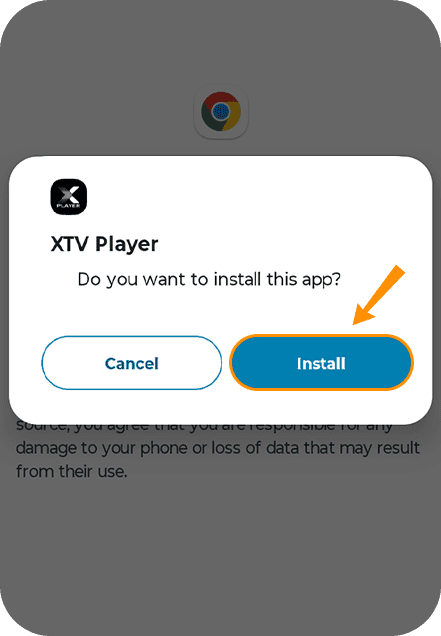
Step - 5
Choose your preferred language — English, हिन्दी, or ਪੰਜਾਬੀ
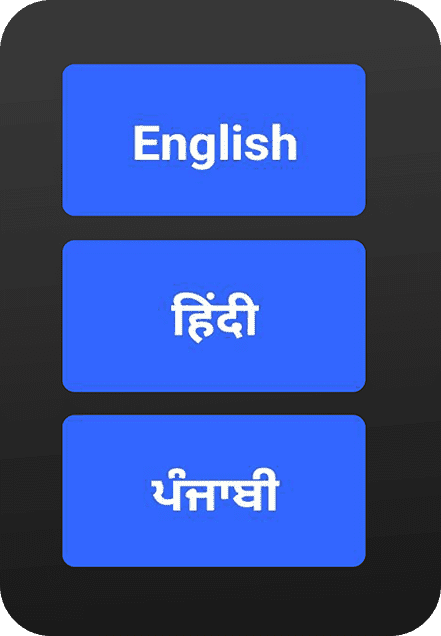
Step - 6
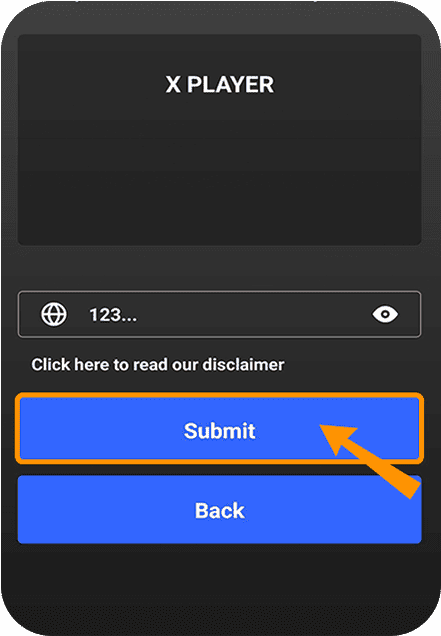
Enter your Service ID provided by your Real TV seller, tap Submit, and your account will connect automatically.
Step - 7
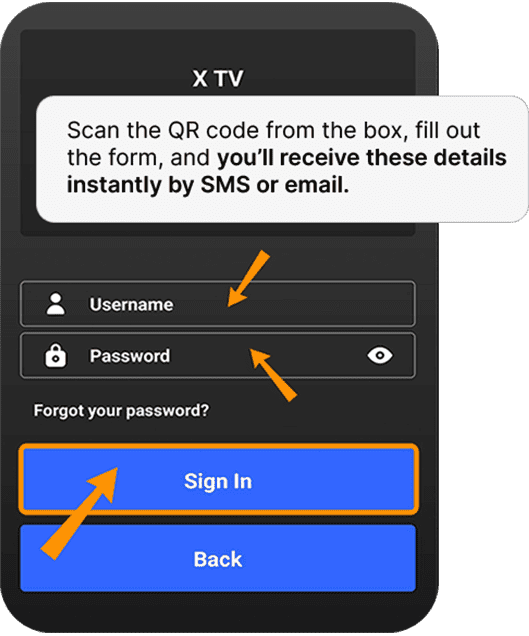
Enter your username and password to sign in (Scan the QR code from the box, fill out the form, and you’ll receive these details instantly by SMS or email).
Step - 8
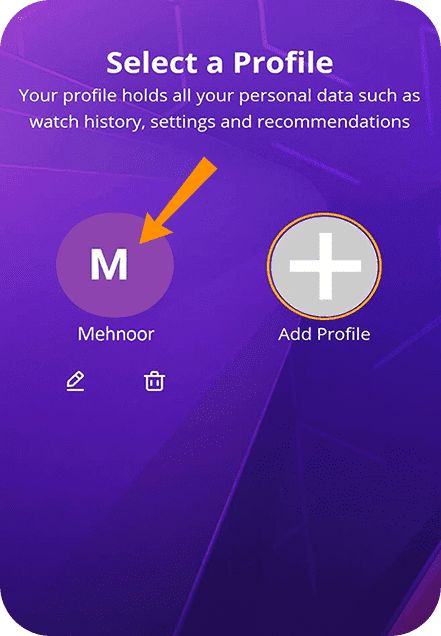
Start Your Streaming Experience! Select an existing profile or add a new one to begin watching with your personalised preferences.
You’re all set!
Sit back, relax, and enjoy a seamless entertainment experience like never before. With the XTV Player home screen, you can instantly access Entertainment Content, Movies, and Web Series, and much more — all in crystal-clear HD quality.
Watch the Full Setup Video Guide
Make your Real 2X app setup even easier!
If you prefer learning visually, here’s a complete step-by-step video showing the entire process from start to finish. Just follow along and you’ll have the app ready in minutes.
Want to save the instructions for later or share with others?
Tap the button below to download the full PDF guide with all setup steps clearly explained.

